A little focus.
A growing empire.
Win10min is a gamified focus timer for Mac and iPhone. Choose one task, focus for ten minutes and turn completed sessions into Roman progress.
iPhone and iPad: iOS / iPadOS 18.5+
Mac: M1 or newer · macOS 26+
Apple-notarized. Testing on other Macs is still pending.

Your focus.
Something to show for it.
Choose one task. Finish your session. Earn another building for your Rome.
- On your Mac
- Focus timers, app hiding and saved Roman progress. Optional ChatGPT planning.
- On your iPhone
- App blocking, empire campaigns, focus statistics and Arena.
Two apps. Progress and purchases don’t sync yet.
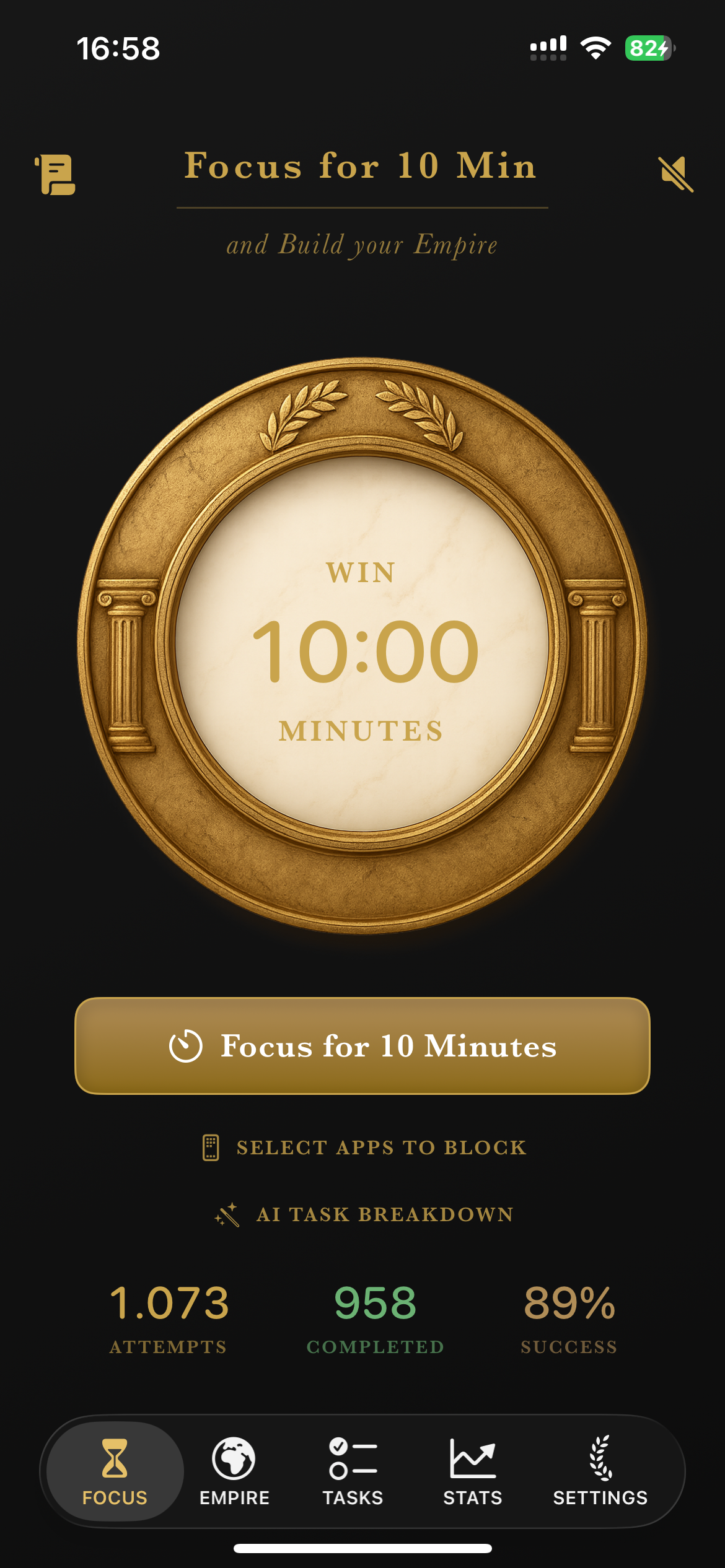
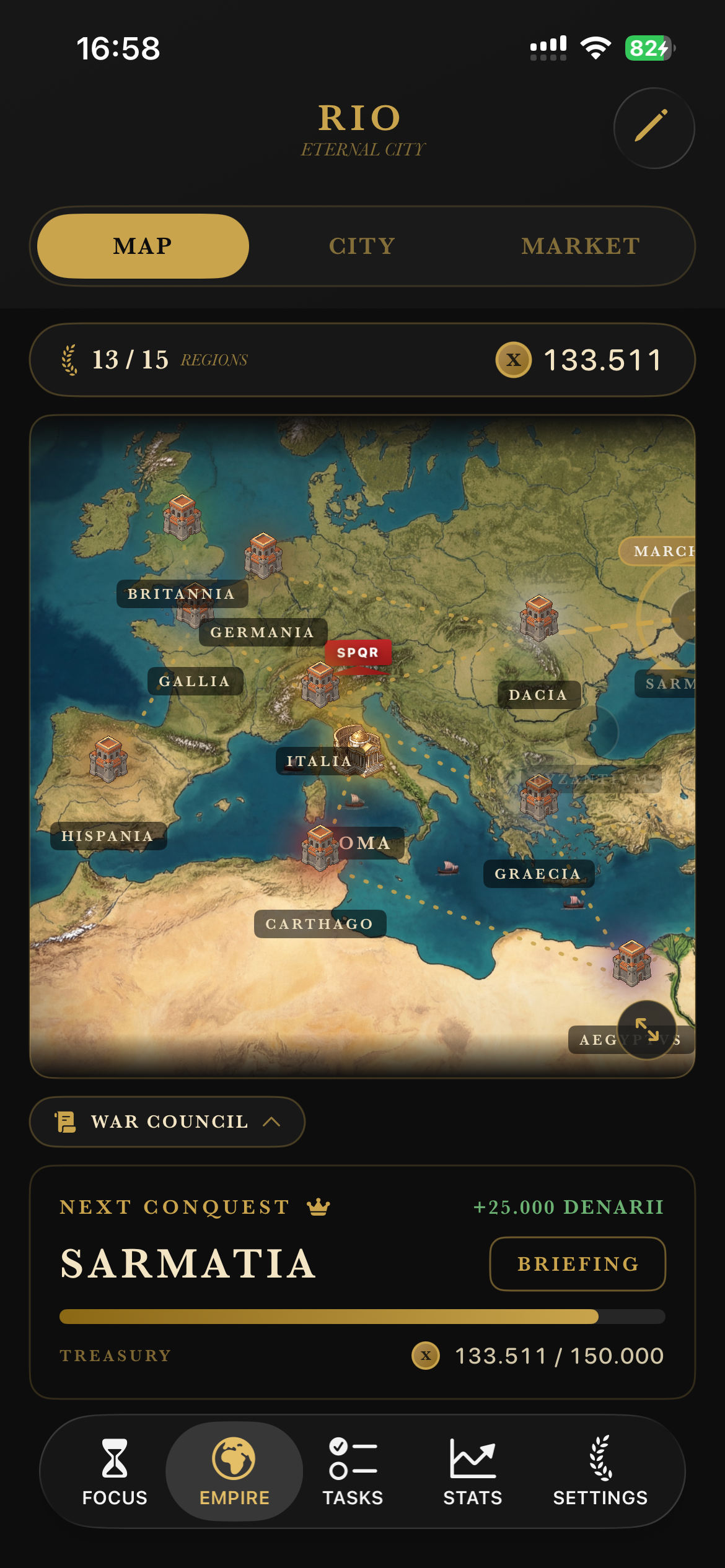
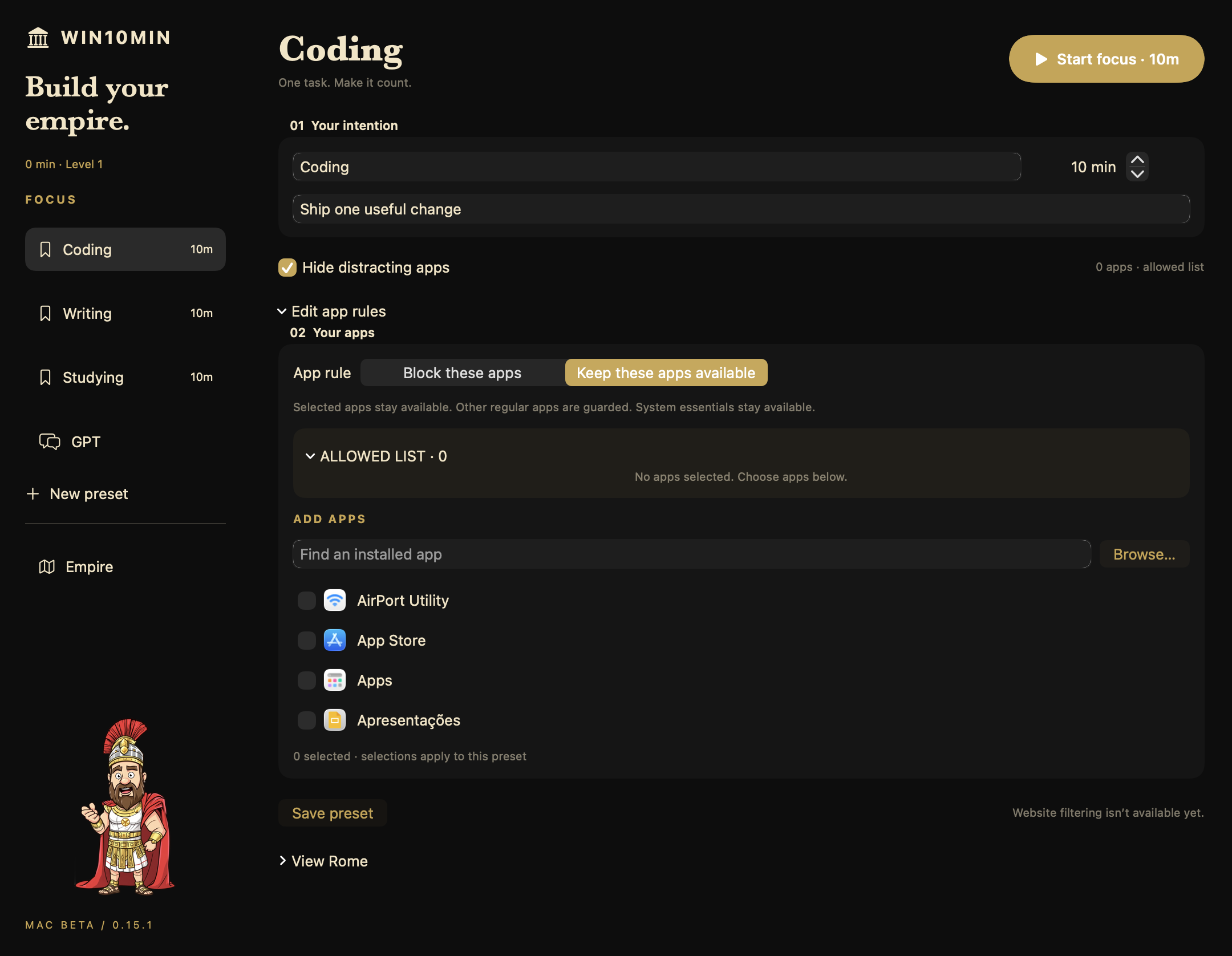
How to start a ten-minute focus session
Pick a small outcome: draft three lines, read two pages or review one recording. Keep the tools you need available, reduce distractions and start the timer. At the end, review your work before deciding what comes next.
Follow the focus guide →Choose the app for your device
The iPhone app uses Screen Time app blocking and includes empire campaigns, focus statistics and Arena. The Mac beta offers app hiding and saved Roman progress, with an optional local ChatGPT planning connection.
These are separate apps with different features. Your progress and purchases do not sync between them.
A few things to know.
How do I install the Mac beta?
Unzip the download. Drag Win10min Preview to Applications, then open it. Choose a task and the apps you want hidden, and start your session.
Version 0.16.4 · Apple Silicon · macOS 26 or later. Release details.
Do I need ChatGPT?
No. The Mac timer and saved progress work without it. Optional ChatGPT planning breaks goals into manageable actions. Send a plan to Win10min, then start it yourself.
In Win10min’s GPT page, select Install connection. Choose Win10min for Mac in a new local Work/Codex chat. Requires a compatible desktop host with local-plugin access; ChatGPT web and mobile are not supported. Uses your account’s allowance and applicable credits.
What’s missing from the Mac beta?
Website blocking, iPhone-style Screen Time shields, Arena and full iPhone analytics. Intel Macs and Windows aren’t supported. Progress, settings and purchases are separate from iPhone.
Does Win10min block distracting apps?
On iPhone, Win10min uses Apple Screen Time to restrict apps during focus sessions. On Mac, the beta hides selected app windows. Mac app hiding does not lock an app or block websites.
Do Mac and iPhone progress sync?
No. Roman progress, settings and purchases are separate between the Mac beta and iPhone app. The iPhone Arena leaderboard is not available in the Mac beta.
Is Win10min free?
The iPhone app is free to download and offers in-app purchases. Check the App Store and the in-app purchase screen for current local prices and included features. The Mac download is a separate beta; an iPhone purchase does not transfer to it.
Is this an online ten-minute timer?
Try the free online ten-minute timer without a signup. For native focus features, download the iPhone app or Mac beta. The Mac timer works without ChatGPT.
Can I use it for studying or work?
You can name a session after a small task such as reading two pages, drafting an email or reviewing a paragraph. Choose work that fits the session, then review what you completed when it ends. Read the ten-minute focus guide.
Need help?
Email [email protected] with your device, system version and what happened.